
Q:
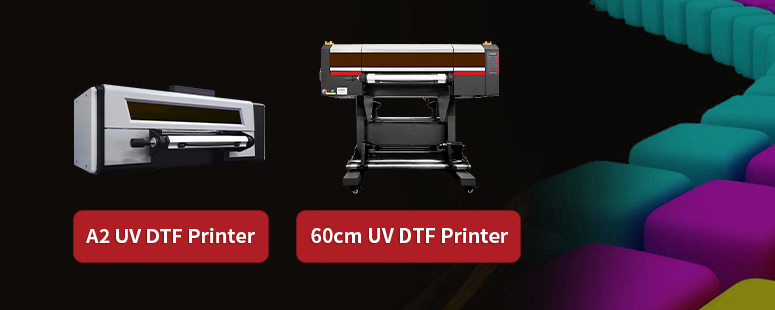
The printer cannot print nozzle test or print jobs. What should I do?
A:
Step 1: Check the "LOG" icon at the lower right corner of the software to see if there are any error messages
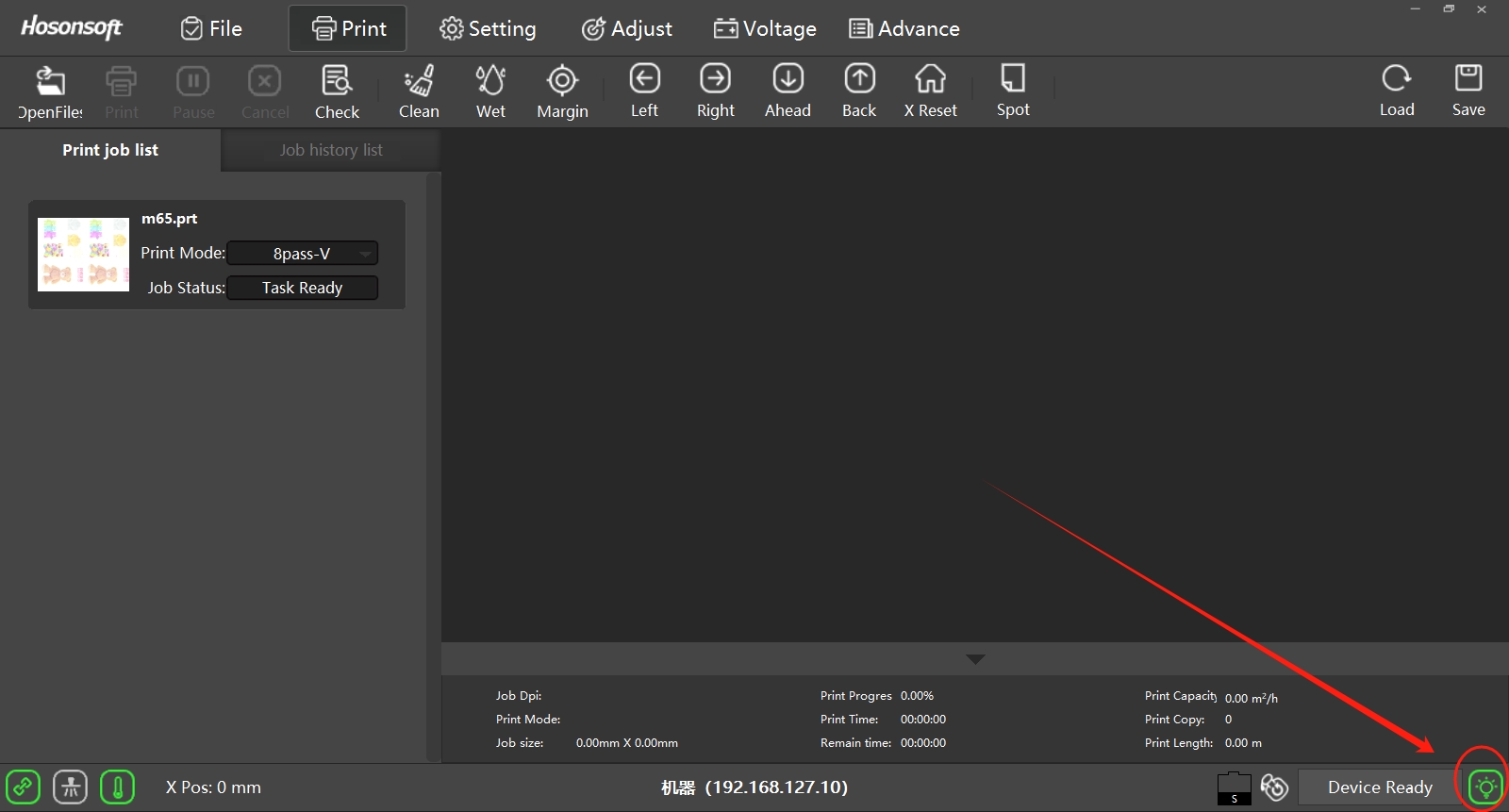
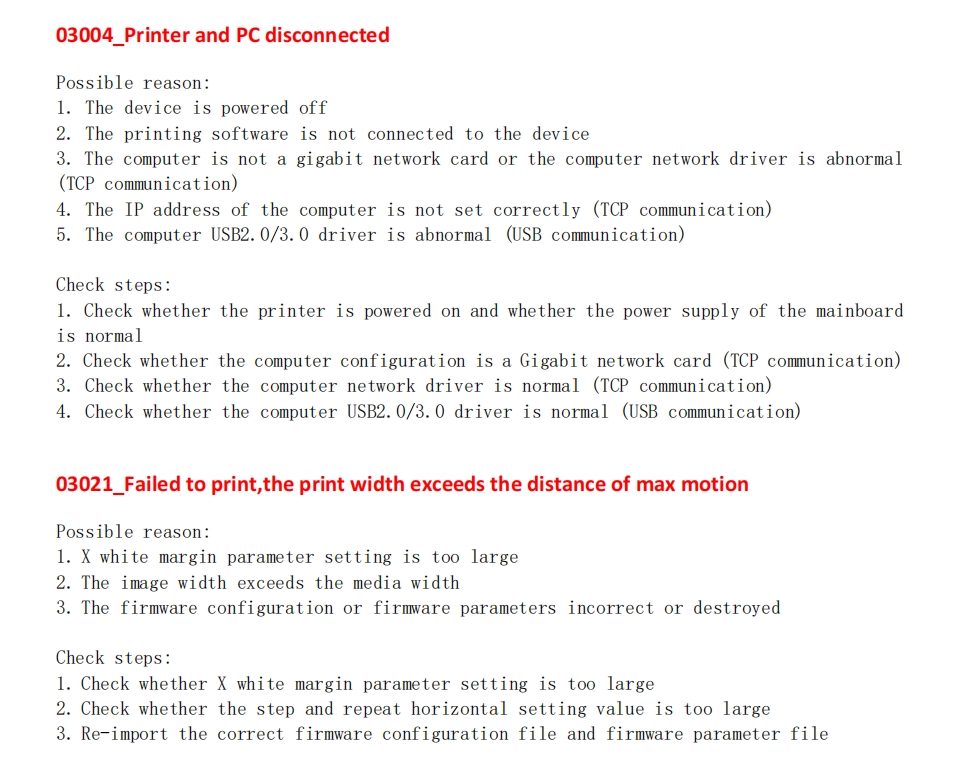
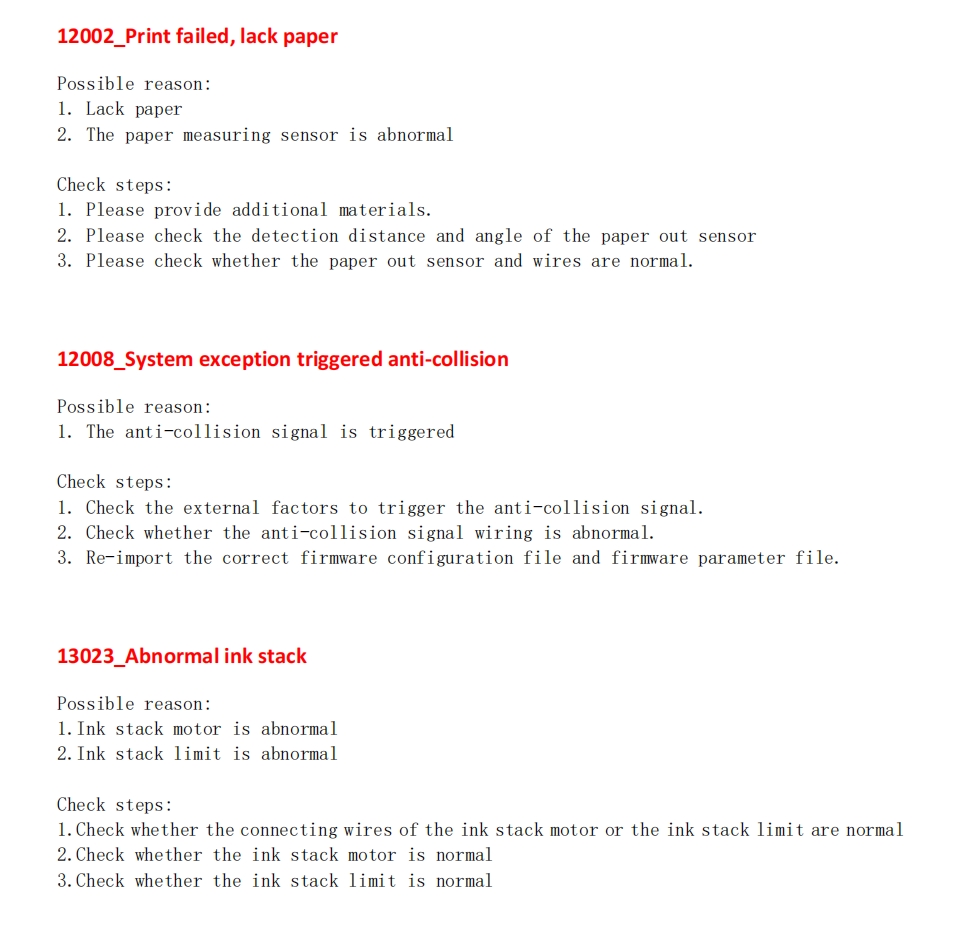
If there are error messages, common fault codes, the solutions are as follows:
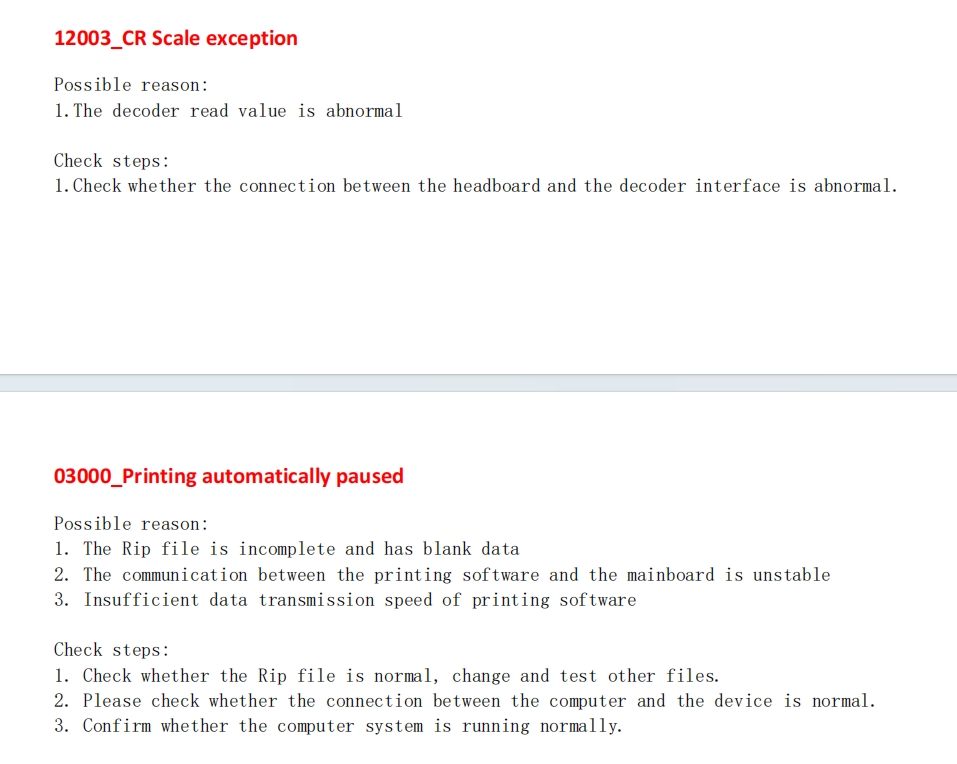
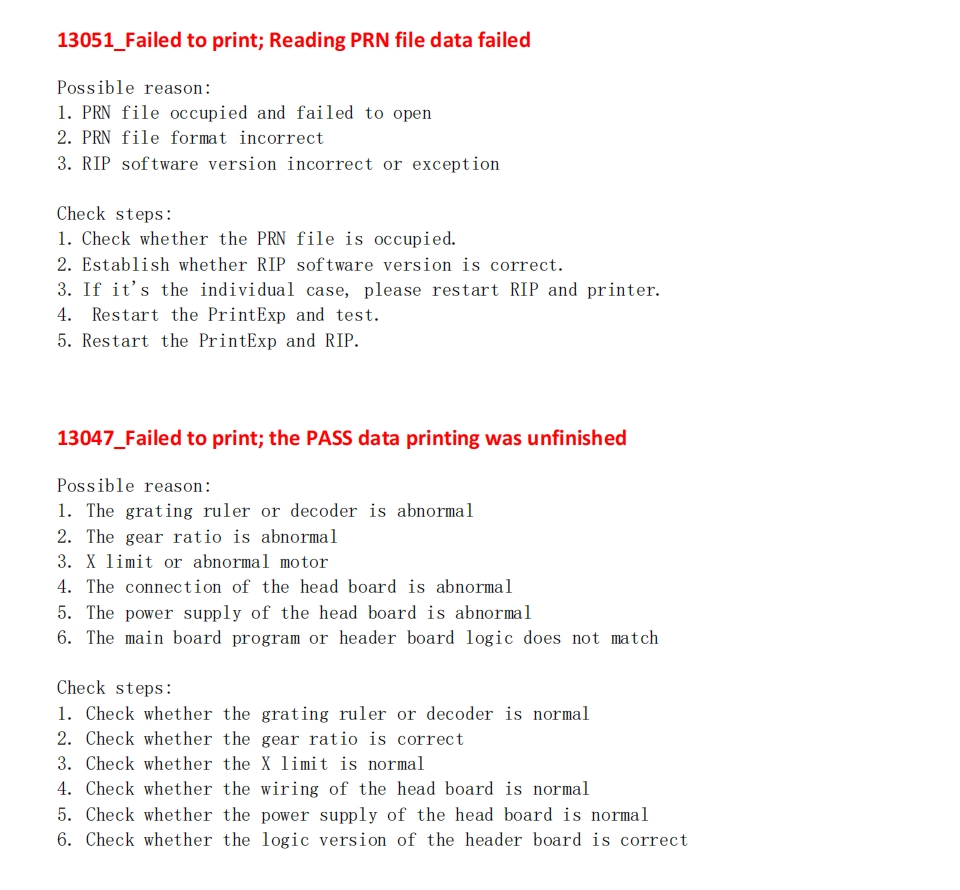
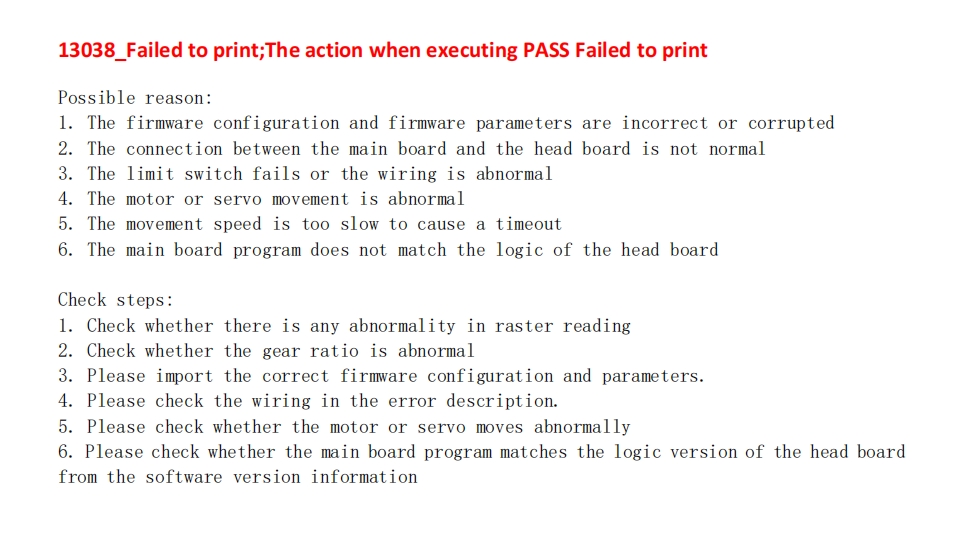
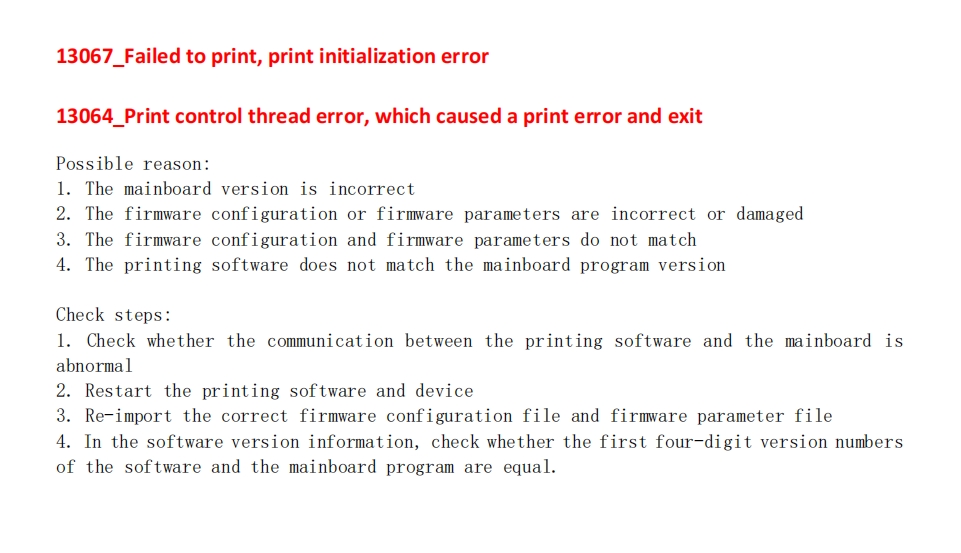
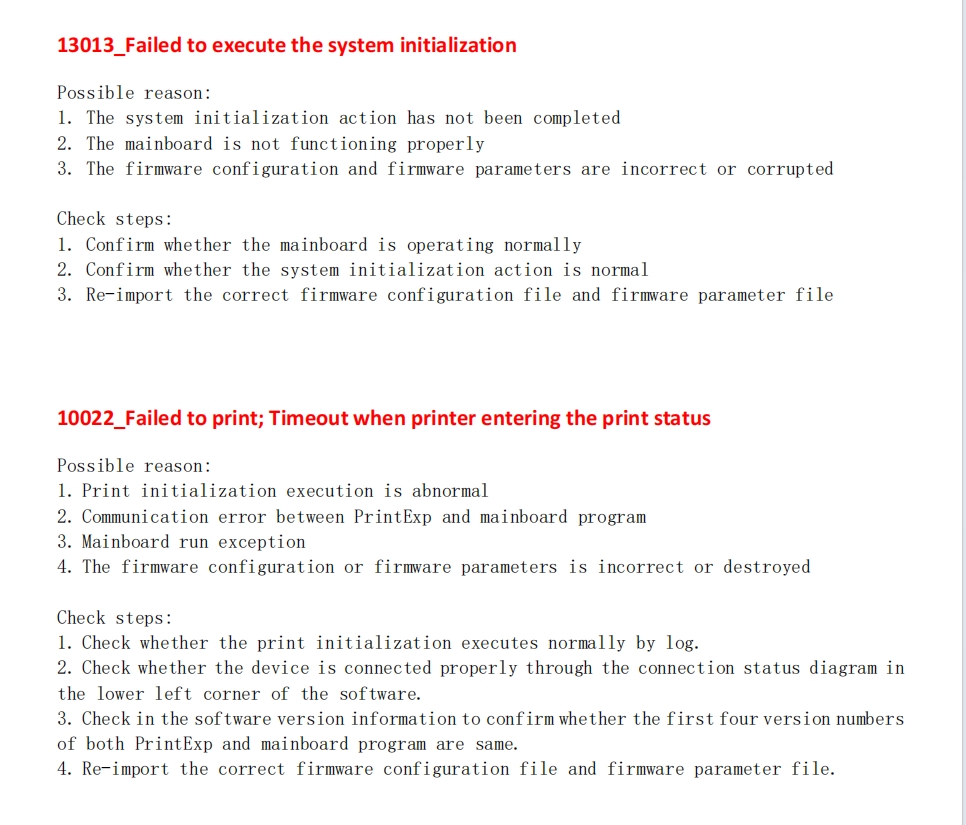
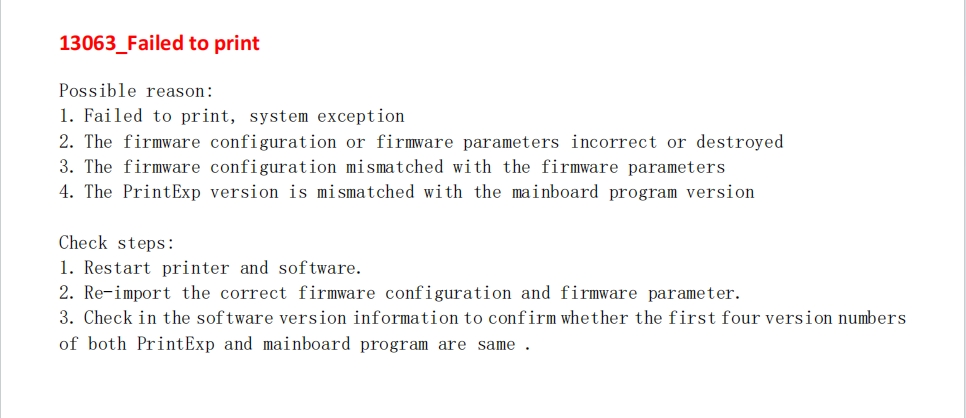
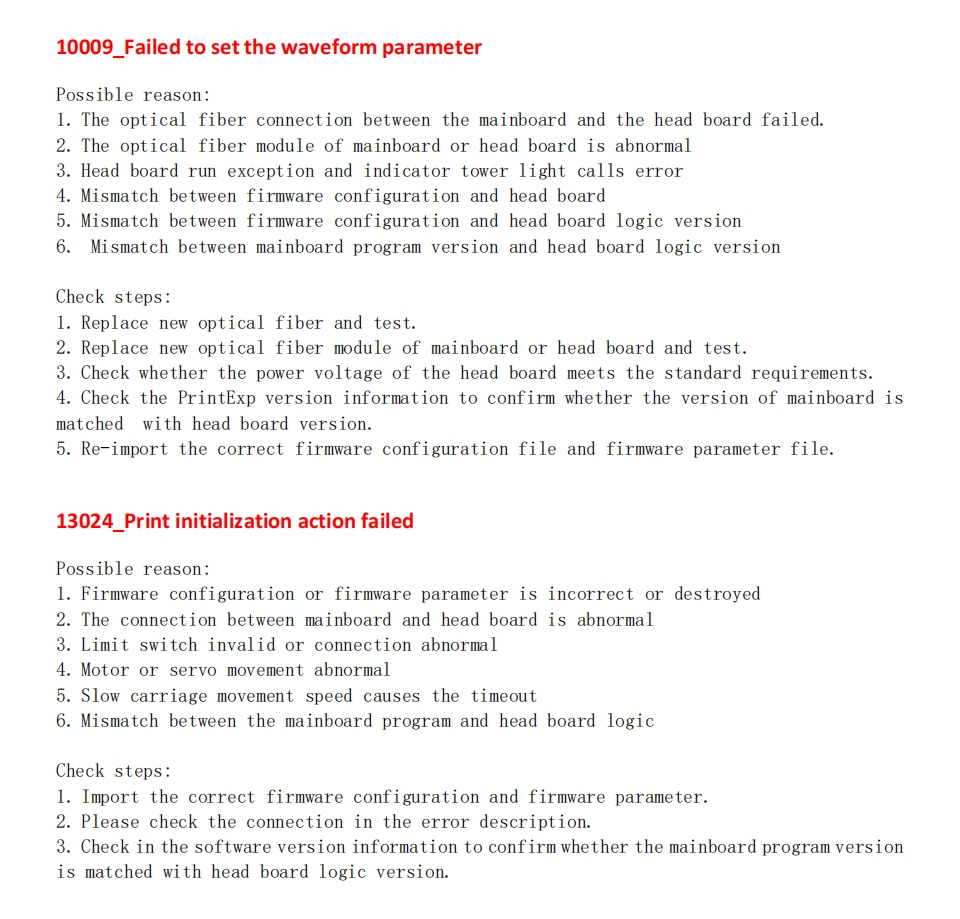
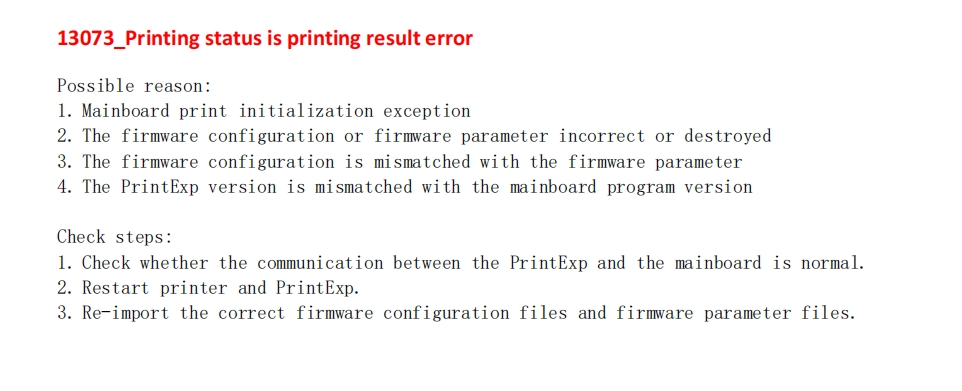
Step 2: Check the display status of the headboard indicator light and the digital tube
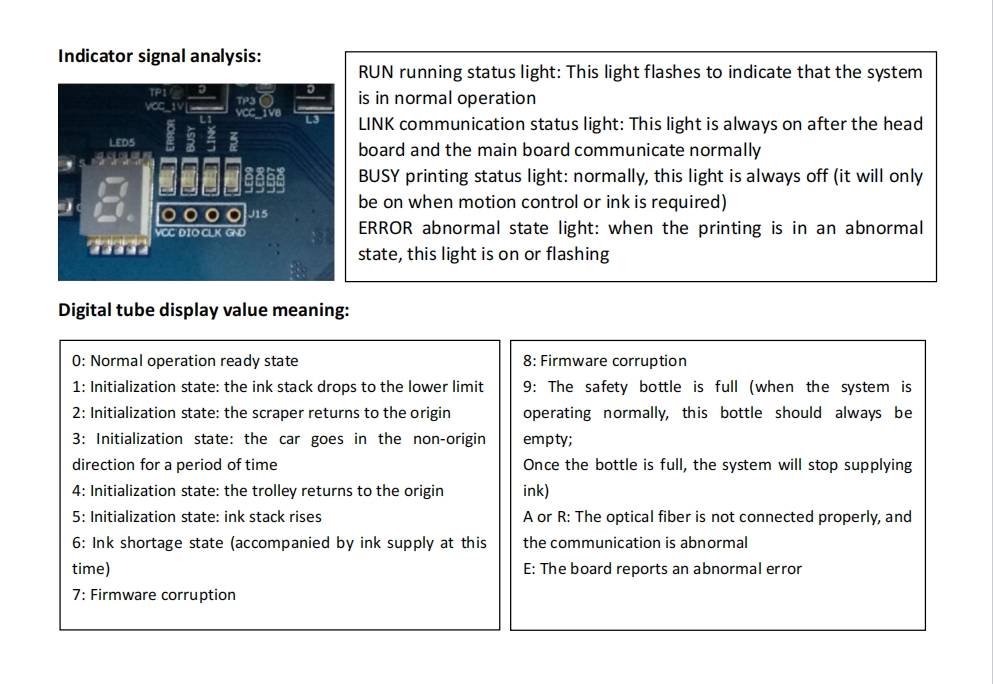
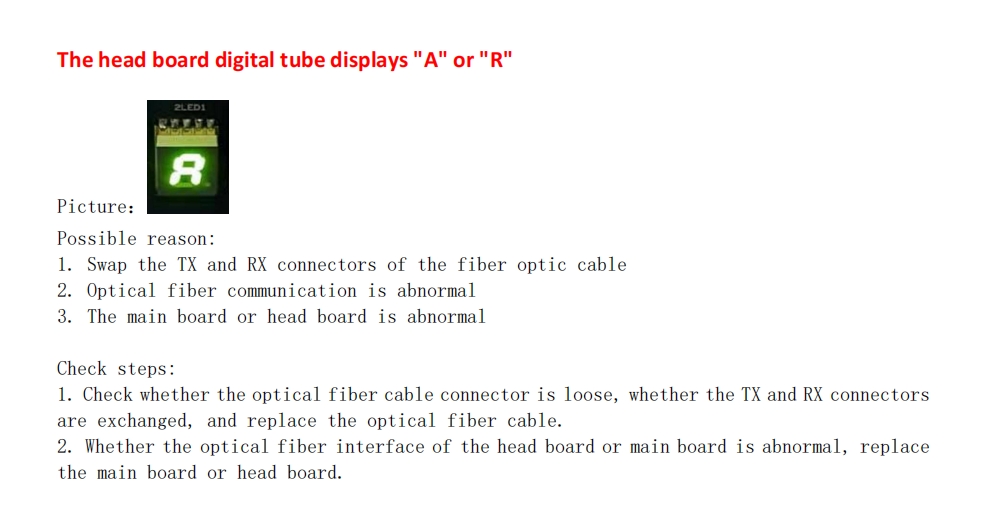
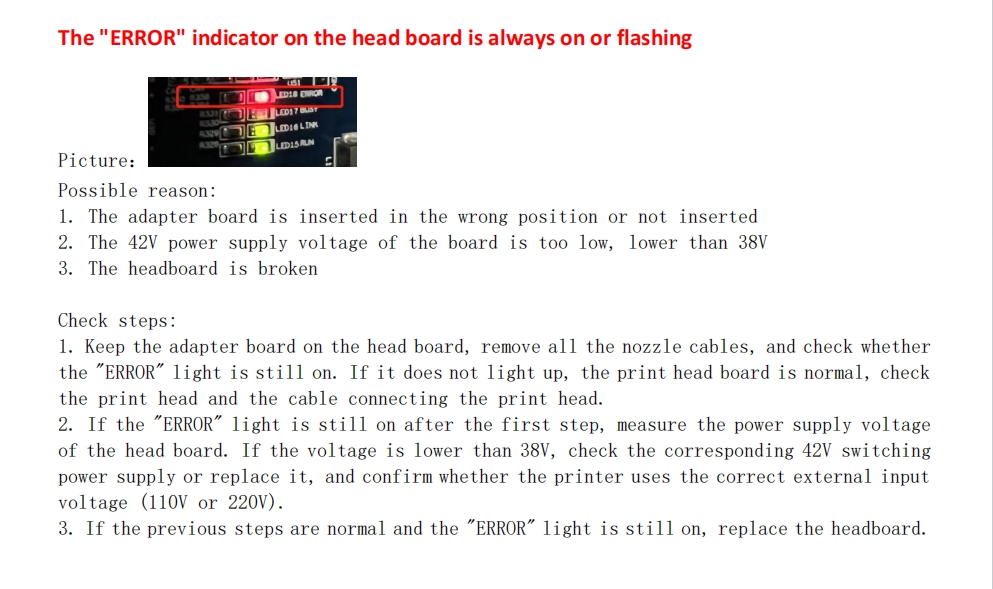
When the "Error" indicator light on the headboard is flashing, refer to the following manual for detailed troubleshooting:
Headboard ERROR red light flashing solution.pdf
Note: If the problem cannot be solved through the above methods, it is recommended to contact our relevant engineers for professional services.
If you have any questions, please contact the relevant personnel.
Add: No.6-2, Jinhua Zhong Road,Zhongshan
Tel: 86-760-88667090
Fax: 86-760-88667096
E-mail:[email protected]